
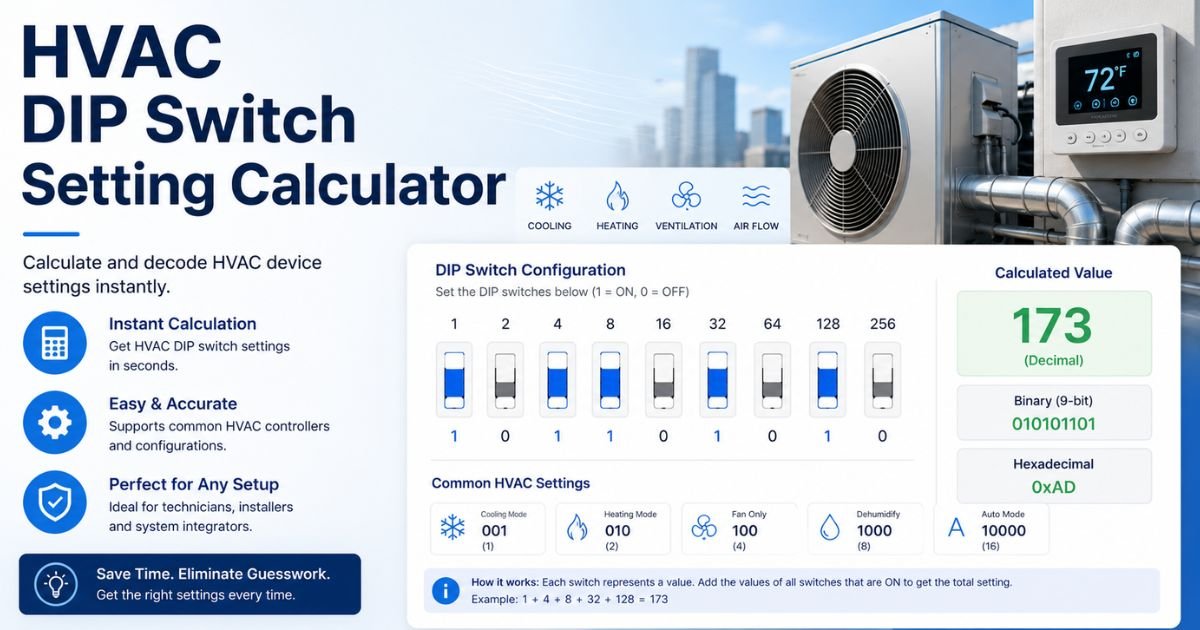
HVAC DIP Switch Setting Calculator
Estimate target HVAC airflow and record the DIP switch positions specified in your equipment manual. Airflow calculation and DIP switch recording are kept separate because switch functions vary by HVAC model and control board.
Click each visual switch to match the ON/OFF positions shown in your HVAC equipment documentation.
How to Use the HVAC DIP Switch Setting Calculator
First, enter the system tonnage and the required CFM per ton. Click Calculate to estimate the target airflow.
Target Airflow = Tonnage × CFM per Ton
Next, open the installation or service manual for the exact HVAC unit. Find the appropriate airflow or configuration table and note the required DIP switch positions.
Use the visual switch recorder on this page to reproduce those positions. The tool then gives you a clear ON/OFF profile that can be checked before configuration.
Example: 2.5-Ton HVAC System
Suppose a 2.5-ton system requires an airflow target of 350 CFM per ton.
2.5 × 350 = 875 CFM
The calculated target airflow is 875 CFM.
The next step is to check the equipment manual for the switch combination associated with the appropriate airflow profile. You can then reproduce that combination in the switch recorder.
HVAC Airflow Reference Table
| System Size | 350 CFM/Ton | 400 CFM/Ton | 450 CFM/Ton |
|---|---|---|---|
| 1.5 Ton | 525 CFM | 600 CFM | 675 CFM |
| 2 Ton | 700 CFM | 800 CFM | 900 CFM |
| 2.5 Ton | 875 CFM | 1,000 CFM | 1,125 CFM |
| 3 Ton | 1,050 CFM | 1,200 CFM | 1,350 CFM |
| 3.5 Ton | 1,225 CFM | 1,400 CFM | 1,575 CFM |
| 4 Ton | 1,400 CFM | 1,600 CFM | 1,800 CFM |
| 5 Ton | 1,750 CFM | 2,000 CFM | 2,250 CFM |
Why Doesn’t the Calculator Automatically Choose the DIP Switches?
HVAC DIP switches are different from binary address switches. SW1, SW2, SW3, and other positions do not have universal numerical values across HVAC equipment.
One control board may use a pair of switches for cooling airflow. Another may use those same switch positions for heating airflow, blower delay, dehumidification, or another function.
The correct approach is therefore to calculate the target, identify the manufacturer-specific setting in the manual, and then record that setting accurately.
Frequently Asked Questions
What does this HVAC DIP Switch Setting Calculator do?
It calculates a target airflow from tonnage and CFM per ton, and provides a visual tool for recording the DIP switch combination specified by your HVAC manual.
Do the DIP switches affect the airflow calculation?
No. The airflow calculation and switch profile are intentionally separate because there is no universal HVAC switch-to-CFM formula.
Why can’t the calculator automatically choose the switches?
DIP switch functions differ by HVAC manufacturer, model, blower assembly, control board, and operating mode. A generic automatic combination could therefore be incorrect.
How do I find the correct DIP switch combination?
Use the installation or service documentation for the exact equipment model. Look for the airflow, blower, or control-board DIP switch table.
How is target airflow calculated?
Multiply system tonnage by the selected CFM per ton. For example, 3 tons at 400 CFM per ton equals 1,200 CFM.
Is 400 CFM per ton always required?
No. It is a common reference value, but the correct airflow may vary by equipment, installation, climate, humidity requirements, and manufacturer specifications.
What does the ON/OFF Profile show?
It records the positions selected in the visual DIP switch bank, such as ON-OFF-ON-OFF.
What does the Visual Pattern show?
A filled circle represents an ON switch and an empty circle represents an OFF switch. It provides another quick way to check the selected configuration.
Can I choose a different number of switches?
Yes. The switch recorder supports banks containing two through eight switches.
Should I verify the final setting before changing the HVAC unit?
Yes. Verify every setting against the official documentation for the exact HVAC equipment before changing control-board switches.