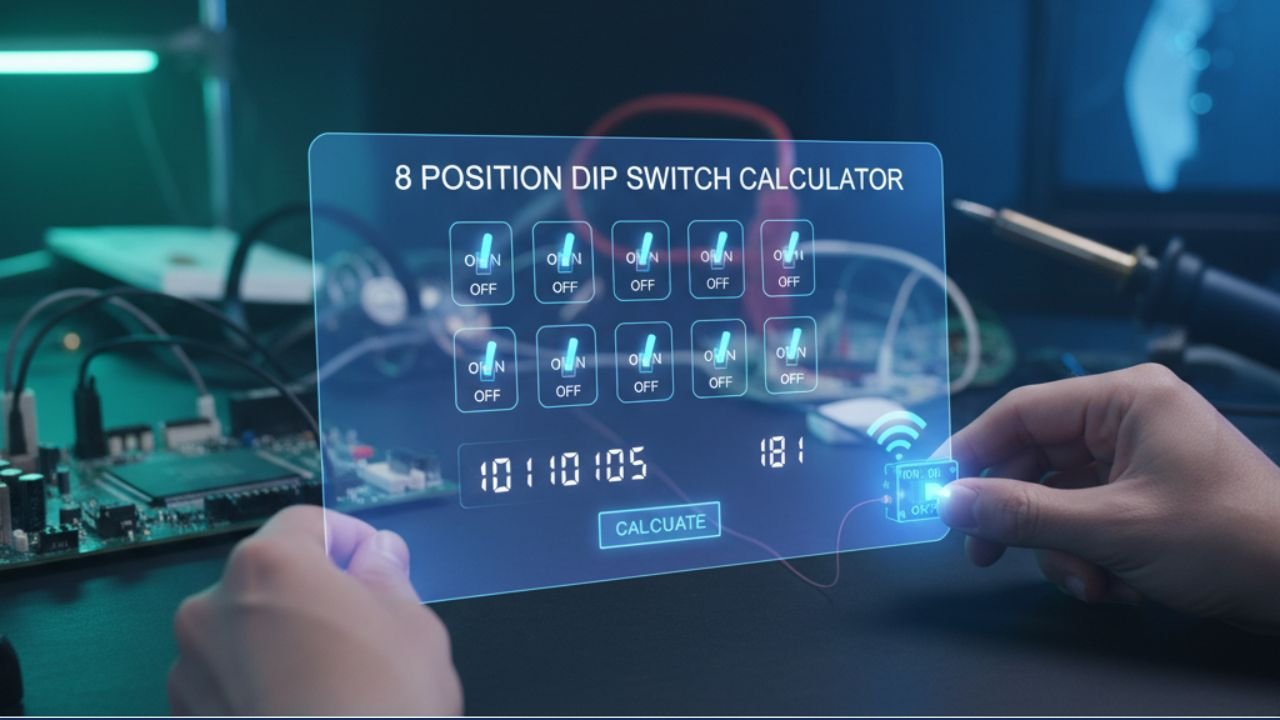
8 Position DIP Switch Calculator
Instantly convert the configuration of an 8-bit DIP switch array (0 to 255).
The 8-Bit Configuration Dial
DECIMAL (Base 10)
0
BINARY (Base 2)
00000000
HEXADECIMAL (Base 16)
0x00
Frequently Asked Questions : 8 Position DIP Switch Calculator
The 8-bit configuration is extremely common because it aligns perfectly with one byte of data in computer architecture. This allows the switch to represent exactly 256 unique addresses or configuration states (0 through 255), which is ideal for tasks like setting device IDs, selecting data rates, or configuring legacy parallel ports.
DIP switches are inherently binary. A switch set to the ‘ON’ position (typically a closed electrical contact) represents a logical 1 (or ‘true’). A switch set to ‘OFF’ (open contact) represents a logical 0 (or ‘false’). The entire 8-position array forms an 8-digit binary number, or a byte, which our calculator converts to Decimal and Hexadecimal.
The minimum decimal value is 0, which occurs when all 8 switches are in the ‘OFF’ position (binary 00000000). The maximum decimal value is 255, which occurs when all 8 switches are in the ‘ON’ position (binary 11111111). This range of 256 states is the full capacity of a single byte.
Hexadecimal (Base 16) is a natural fit for binary because four bits (a nybble) convert perfectly into one hexadecimal digit. An 8-bit configuration is divided into two 4-bit groups. For example, binary 1100 0101 becomes C5 in hexadecimal. The maximum hex value for 8 bits is FF (equivalent to 255 in decimal).
Physical switches are often labeled 1 through 8. However, in mathematics and computer science, the bit positions (or indices) start at 0 (for the LSB) and go up to 7 (for the MSB). This calculator follows the mathematical convention where the LSB (rightmost) is $2^0$ and the MSB (leftmost) is $2^7$. Always check your hardware documentation to align their numbering (1-8) with the correct power of 2 ($2^0$ to $2^7$).
The Significance and Function of the 8-Bit DIP Switch
The 8 Position DIP Switch Calculator is a tool rooted in the history of microcomputing and industrial electronics. For decades, the 8-bit array, capable of representing one full byte of digital information, has been the backbone for configuring hardware parameters. While modern devices often use software menus or non-volatile memory for configuration, the simplicity, reliability, and sheer physical permanence of the DIP switch ensure its continued relevance in specialized fields. To correctly use this calculator, one must first appreciate the structure of an 8-bit system and the powerful mathematics it embodies.
A History in Bytes: Why 8 Bits Matters
The number eight, in the context of computing, is profoundly important. It defines the term **byte**—the fundamental unit of digital storage. The earliest widely successful microprocessors, such as the Intel 8008, 8080, and the Motorola 6800, were all 8-bit architectures. This design choice led to a generation of iconic computers—from the Apple II and Commodore 64 to the original Nintendo Entertainment System—all built around the 8-bit bus width.
In hardware configuration, this meant that the configuration registers, device addresses, and interrupt settings were all designed to fit neatly within an 8-bit boundary, providing exactly 256 possible settings. Using an 8-position DIP switch allows technicians to manually set a specific address (e.g., $40_{16}$ or $64_{10}$) for a device, ensuring it doesn’t conflict with other components on the system bus. This physical, unchangeable setting provides a level of stability and immunity to software failure that remains unmatched by contemporary, purely digital configurations.
Deciphering the 8-Bit Code
An 8-bit binary number is an array of eight switches, where each switch carries a unique positional weight based on powers of two. The calculator is set up according to standard convention, which places the Least Significant Bit (LSB) on the right (Switch 8, or Bit 0) and the Most Significant Bit (MSB) on the left (Switch 1, or Bit 7).
The eight positions correspond to the following decimal values:
- Switch 8 (LSB, $2^0$): 1
- Switch 7 ($2^1$): 2
- Switch 6 ($2^2$): 4
- Switch 5 ($2^3$): 8
- Switch 4 ($2^4$): 16
- Switch 3 ($2^5$): 32
- Switch 2 ($2^6$): 64
- Switch 1 (MSB, $2^7$): 128
To find the total decimal value, the calculator simply sums the weights of all switches that are in the ON (or 1) position. The calculation follows the general formula for binary-to-decimal conversion:
$$\text{Decimal Value} = (S_7 \cdot 128) + (S_6 \cdot 64) + \dots + (S_1 \cdot 2) + (S_0 \cdot 1)$$
Where $S_n$ is the state of the $n$-th bit (1 for ON, 0 for OFF). For example, if only the MSB (Switch 1, 128) and the LSB (Switch 8, 1) are ON, the decimal value is $128 + 1 = 129$. The calculator performs this summation instantly as you interact with the virtual switches.
Hexadecimal: The Shorthand for 8 Bits
In industrial and embedded systems, it is common to refer to the 8-bit configuration using Hexadecimal (Base 16) notation. Hexadecimal is preferred over binary because it condenses the long string of eight 0s and 1s into a manageable two-digit code.
The conversion works by dividing the 8-bit byte into two 4-bit segments (nybbles):
- The **first nybble** (the four MSB switches) covers values from 0 to 15, which corresponds to the hex digits 0 through F.
- The **second nybble** (the four LSB switches) also covers values from 0 to 15.
For example, consider the binary pattern 1010 1100.
- The first nybble is 1010, which equals $8 + 2 = 10$ in decimal. In hexadecimal, 10 is represented by the letter A.
- The second nybble is 1100, which equals $8 + 4 = 12$ in decimal. In hexadecimal, 12 is represented by the letter C.
Typical Applications of 8-Position Switches
You will encounter 8-bit DIP switches in several real-world scenarios:
- Computer Peripherals (Legacy): SCSI devices and old parallel-port printers used 8-bit settings to assign unique addresses (IDs) from 0 to 7 (a 3-bit setting) or more often, a specific port address.
- Industrial Controllers: Devices like sensors, actuators, and communication modules in factory environments use 8-bit switches to set their network addresses (e.g., MODBUS or CAN bus addresses) to prevent communication conflicts.
- Vending Machines and Gaming Boards: Older arcade machines and specialized vending electronics rely on 8-bit DIP switches to select pricing, difficulty level, or regional settings.
- Audio/Video Equipment: Some professional A/V distribution systems use them to set device priorities or zone identification codes.
A Note on Reading Hardware Documentation
When working with physical DIP switches, a critical point of potential error is the indexing convention. Although this calculator uses the mathematical indices (Bit 7 on the left, Bit 0 on the right), manufacturers sometimes use one of two competing physical conventions:
- Convention 1 (MSB-to-LSB): Switch 1 is the MSB ($2^7$) and Switch 8 is the LSB ($2^0$). This is the most common and the one mirrored by this calculator.
- Convention 2 (LSB-to-MSB): Switch 1 is the LSB ($2^0$) and Switch 8 is the MSB ($2^7$).
In conclusion, the 8 Position DIP Switch Calculator simplifies the vital task of translating physical switch settings into digital values. By providing instant Decimal, Binary, and Hexadecimal outputs, it serves as an indispensable tool for anyone working with electronic devices that rely on this classic, reliable configuration method.