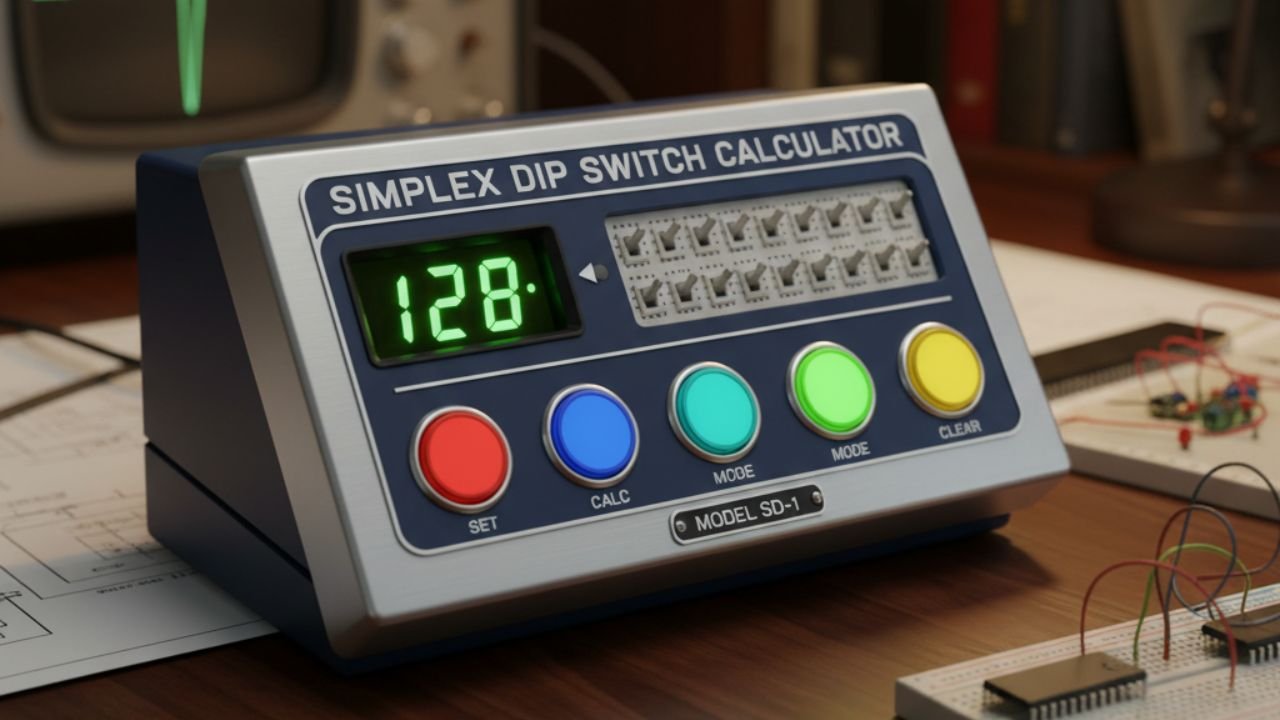
Simplex DIP Switch Calculator
Translate physical switch settings into digital values for up to 16-bit addressing.
The Simplex Configuration Tool
DECIMAL (Base 10)
0
BINARY (Base 2)
00000000
HEXADECIMAL (Base 16)
0x00
FAQs About Simplex DIP Switch Calculator
In the context of configuration, “Simplex” refers to a one-way communication channel. A Simplex DIP switch acts as a static input: the user sets the switch positions, and the electronic device reads that state as a fixed configuration value. The device does not write back to or change the switch settings; the information flow is unidirectional and permanent until physically toggled by the user. This makes them ideal for setting non-volatile parameters.
DIP switches offer several key advantages that software configuration lacks: reliability, non-volatility, and simple troubleshooting. They require no power to maintain their setting, making them perfect for boot-up addresses or default modes. Furthermore, they are immune to software bugs or corruption, guaranteeing a physical failsafe for critical hardware settings like bus termination or initial network addressing.
A 16-bit array provides $2^{16}$, or 65,536, unique configuration codes. This is primarily used for device addressing in complex systems, such as assigning unique IDs to networked industrial control modules (like setting the MAC address offset) or defining wide memory boundaries on older hardware buses. It can also be used to set a large number of discrete option flags simultaneously, although this is less common.
The weight is determined by its position, which corresponds to a power of 2. The Least Significant Bit (LSB), typically labeled 1, is $2^0$ (a weight of 1). The next switch is $2^1$ (weight of 2), then $2^2$ (weight of 4), and so on. The total decimal value is the sum of the weights of all switches set to ON (binary 1). This calculator uses this standard binary-weighted system.
While this calculator assumes the standard convention (ON = 1 and OFF = 0), engineers must always consult the device’s documentation. In some older or specialized circuits, designers might use negative logic, where the switch position labeled “ON” actually connects the line to ground (a logic 0), and “OFF” (or open) is pulled up to a voltage (a logic 1). This is rare but important to verify, especially in industrial or legacy hardware.
The Simplex Advantage: Unidirectional Configuration in Digital Systems
The Simplex DIP Switch Calculator is built around the fundamental concept of simplex communication, which in digital electronics refers to the one-way transfer of data.
In the realm of configuration, a DIP switch array provides the purest form of simplex input: a set of physical levers that translate directly into a non-volatile binary message that a microcontroller or digital circuit continuously reads.
Understanding this unidirectional relationship is key to correctly configuring hardware devices for everything from legacy network interfaces to modern industrial sensors.
Defining Simplex Input in Hardware
When a user interacts with a DIP switch, they are establishing a fixed, static state. The electronic system monitors the contacts of the switches, translating the open/closed status into a digital stream of 0s and 1s.
This is an inherently simplex operation because the configured device only reads the input; it has no mechanism to write back or dynamically change the state of the physical switch.
This simplicity is a massive benefit. In more complex systems, configurations might be stored in flash memory, which requires software, power, and a specific boot-up sequence to load. If that memory becomes corrupted, the system fails. A Simplex DIP configuration, conversely, is hardware-defined.
The setting is available immediately upon power-up and remains stable without power, providing a robust, reliable default or address setting. This calculator helps verify that the physical switch settings align perfectly with the required digital address, removing human error from the translation process.
The Binary-Weighted System
At the heart of the DIP switch calculator is the binary-weighted number system. Each switch position holds a unique weight that is a power of 2. The total value is calculated by summing the weights of the switches that are in the ON (logic 1) position.
For any configuration involving $N$ switches, the switch positions are numbered from $0$ to $N-1$, corresponding to the exponent of the power of 2.
- Switch 1 (the LSB) has a weight of $2^0 = 1$.
- Switch 2 has a weight of $2^1 = 2$.
- Switch 3 has a weight of $2^2 = 4$.
- …
- The highest numbered switch (the MSB) has a weight of $2^{N-1}$.
The Importance of Orientation (LSB vs. MSB)
While the mathematics of binary conversion is fixed, the physical orientation of the switches—which end of the array is the Least Significant Bit (LSB) and which is the Most Significant Bit (MSB)—is dependent on the hardware manufacturer. This is the single greatest source of configuration errors.
The Simplex DIP Switch Calculator follows the industry convention: switches are arranged left-to-right from MSB to LSB. However, physical DIP switches may be marked with the number ‘1’ on the LSB side or the MSB side. If a board requires you to set the value 12 (binary 1100), but you incorrectly assume the orientation:
- If the LSB is on the right, setting the switches as 1100 (ON, ON, OFF, OFF) correctly yields 12.
- If you mistakenly assume the MSB is on the right, setting the switches as 1100 (OFF, OFF, ON, ON) actually yields $2^1 + 2^0 = 3$.
Hexadecimal as the Human Interface
The Hexadecimal output (Base 16) is a vital feature of this calculator, simplifying the reading of large binary strings. When dealing with an 8-bit or 16-bit configuration, binary strings become long and prone to reading errors. Hexadecimal solves this by compressing every four binary bits (a nybble) into a single character (0-9, A-F).
This calculator provides the Hex output to simplify the reading of longer binary strings:
- For 8 bits (one byte), the output is always two Hex digits (e.g., 1010 0011 binary $\rightarrow$ A3 hex).
- For 16 bits (two bytes), the output is four Hex digits (e.g., 1111 0000 1100 0001 binary $\rightarrow$ F0C1 hex).
Real-World Configuration Scenarios
The Simplex DIP switch remains indispensable across many hardware domains:
- Industrial Fieldbus Systems: Devices like motor controllers, temperature monitors, and pressure sensors on networks like Modbus or DeviceNet often use 8-bit or 10-bit DIP switches to set their unique network slave address. This allows the central master controller to communicate with them individually.
- Computer Peripherals: Legacy expansion cards (e.g., sound cards, SCSI controllers) utilized DIP switches to manually reserve Interrupt Request (IRQ) lines or Direct Memory Access (DMA) channels to prevent conflicts with other peripherals.
- Audio/Video Equipment: Professional audio mixers and video switchers may use DIP switches to set pre-amplification levels, filter modes, or signal termination flags (e.g., 75-ohm termination).
In all these applications, the Simplex nature of the switch input guarantees that the system always boots with the intended configuration, making the DIP switch a critical point of hardware failure prevention. By providing instant Decimal, Binary, and Hexadecimal translation, this calculator empowers users to confidently configure their hardware, ensuring that the physical setting accurately reflects the digital requirement. Mastering the relationship between the physical switch, the digital value, and the corresponding hexadecimal code is a fundamental skill in electronics and computing.