
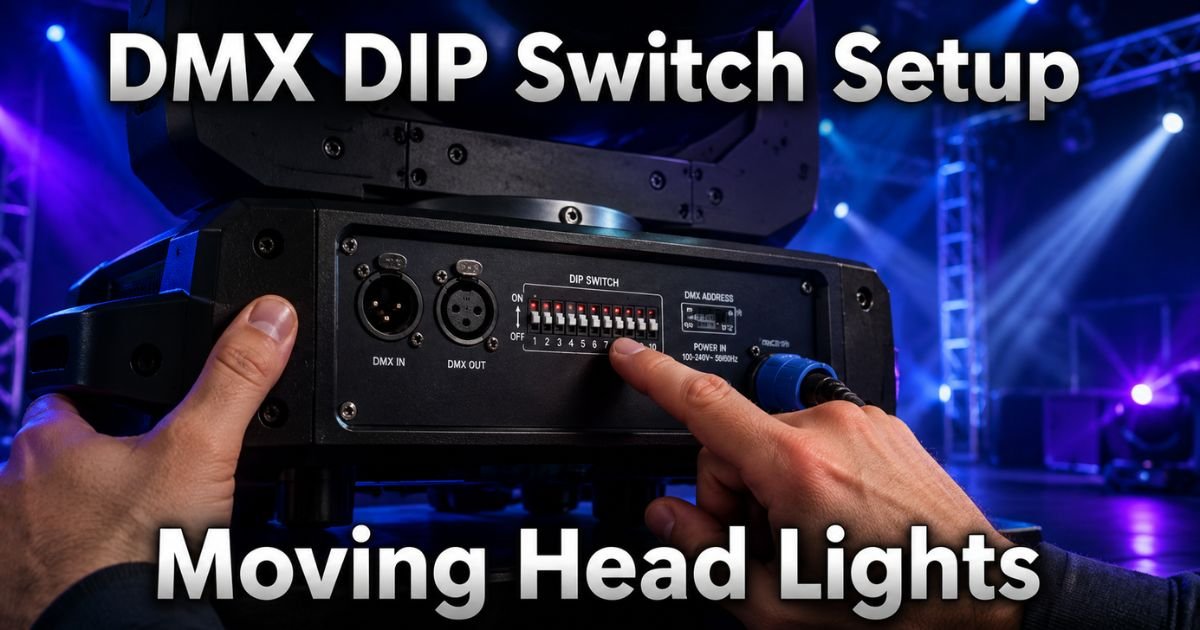
Ever stood backstage staring at your brand-new moving head lights, wondering why they won’t sync up with the rest of the rig? Setting the DMX address on a moving head light using DIP switches is one of those behind-the-scenes skills that makes your entire lighting setup shine.
Whether you’re a weekend DJ, a church tech volunteer, or a full-time production pro, mastering this simple process saves hours of frustration and lets your lights dance exactly how you planned.
In this guide, we’ll walk through every detail so you can confidently set DMX addresses and get your show rolling. It’s straightforward once you know the tricks. Let’s get those moving heads moving right.
Why Proper DMX Addressing Makes All the Difference
Getting the DMX address right isn’t just a technical checkbox. It’s the foundation that keeps your entire lighting system communicating smoothly with your controller. Without it, you’ll deal with flickering beams, random movements, or lights that ignore your cues completely.
DMX addressing ensures each moving head light knows exactly which signals are meant for it. Think of it like assigning unique house numbers on a busy street. When you nail this step, your stage light DMX setup becomes reliable night after night.
Now, let’s dive into the tools and know-how you’ll need before touching a single switch.
What You’ll Need Before You Start
Grab these basics and you’re halfway there:
- Your moving head light fixture (of course!)
- A small flathead screwdriver (some panels require it)
- Your DMX controller or lighting console
- The fixture’s user manual (seriously, keep it handy)
- A notepad or phone to jot down addresses
Safety first: always unplug the fixture or turn off the power before flipping any DIP switches. Most manufacturers insist on this, and it’s a habit that prevents accidental shorts or fried electronics.
Understanding DMX and Moving Head Lights
DMX, short for Digital Multiplex, is the universal language of professional stage lighting. Each moving head light typically needs multiple channels. A basic unit might use 11 channels for pan, tilt, color, and gobo. Fancier models can gobble up 20 or more.
That’s why the DMX address you set is the starting channel. The controller then talks to the fixture across a block of consecutive channels. Miss this concept and you’ll overlap addresses, causing chaos in your daisy-chain setup.
How DIP Switches Work for DMX Addressing
DIP switches are those tiny rows of little levers on your light. They use simple binary math to tell the fixture its address. Most moving head lights have nine or ten switches. Switches 1 through 9 handle the actual address (up to 511), while the tenth often selects DMX mode or runs a test pattern.
Here’s the magic: each switch represents a power of two. Flip it “ON” and you add that value to your total address. Super simple once you see the pattern.
| Switch Number | Binary Value |
|---|---|
| 1 | 1 |
| 2 | 2 |
| 3 | 4 |
| 4 | 8 |
| 5 | 16 |
| 6 | 32 |
| 7 | 64 |
| 8 | 128 |
| 9 | 256 |
For example, to set address 100, you’d calculate the binary breakdown: 64 + 32 + 4. So flip switches 7, 6, and 3 to ON. Easy, right?
Step-by-Step Guide to Setting the DMX Address
Ready to do this yourself? Follow these steps and you’ll have it down in minutes.
- Power everything down. Unplug the moving head light completely. This keeps you safe and prevents any glitches.
- Locate the DIP switch panel. It’s usually on the back, bottom, or inside a removable cover on the base. Your manual will point you exactly there.
- Decide your starting address. Plan ahead! If your first light uses 14 channels and you set it to 1, the next light starts at 15. Write it down so you don’t overlap.
- Convert the address to binary. Use the chart above or a quick phone calculator. Add up the values until you hit your target number.
- Flip the switches. Use your finger or the screwdriver tip. Make sure they’re firmly in the ON or OFF position. Some switches point up for ON, others sideways. Check your model.
- Power the light back on. Reconnect and watch for the reset sequence. The head should initialize and wait for signals.
- Test with your controller. Send a simple pan or color command. If it responds on the correct address, you’re golden. If not, double-check your math and switches.
Repeat for every fixture in the chain. Pro tip: label each light with a piece of gaffer tape showing its DMX address. Future you will thank you during load-in.
Calculating Addresses for Multiple Fixtures
Daisy-chaining several moving head lights? It’s all about math and planning. Start your first fixture at address 1. Add the channel count of that fixture to find the next start address.
Suppose you have three identical moving heads that each need 15 channels:
- Light 1: Address 1 (uses channels 1-15)
- Light 2: Address 16 (uses 16-30)
- Light 3: Address 31 (uses 31-45)
This keeps everything tidy and prevents signal conflicts. Many pros keep a simple spreadsheet for bigger rigs. It takes two minutes and saves major headaches.
Common Mistakes and Quick Troubleshooting
We’ve all been there. Here are the usual culprits and how to fix them fast:
- Wrong binary math. Double-check your addition. It’s easy to miss a switch.
- Forgetting to power cycle. DIP changes only register after a full reboot.
- Overlapping addresses. Lights go haywire. Re-plan and re-set.
- No DMX terminator. Long cable runs need a 120-ohm terminator at the end.
- Mode switch not set. Some fixtures need switch 10 flipped for DMX instead of standalone.
If the light still won’t respond, verify your DMX cable is good and the controller is outputting on the correct universe. A quick swap with a known working fixture can isolate the issue.
Back in my early days DJing small clubs, I once had an entire row of moving heads frozen because I set one address wrong. Lesson learned: slow down, verify twice, and test one light at a time.
Pro Tips for Flawless Stage Light DMX Setup
Want to level up? Always test your full rig in a quiet moment before the crowd arrives. Use a DMX tester app on your phone for quick checks. And consider investing in a wireless DMX system down the road. It cuts down on cable clutter while keeping addresses rock-solid.
For more on DMX basics, check out the helpful resources at Chauvet DJ’s official site. Their dip switch calculator is a lifesaver for quick conversions.
Advanced Considerations for Larger Productions
Bigger shows often mix moving heads with par cans, strobes, and haze machines. Keep your addressing logical. Group similar fixtures together and leave small gaps between groups. It makes programming way smoother on the console.
Also, pay attention to your fixture’s channel modes. Many moving heads offer different personalities, like 8-channel basic or 18-channel extended. Choose one consistently across identical lights.
FAQs About How to Set DMX Address on a Moving Head Light Using DIP Switches
What if my moving head light doesn’t respond after setting the DIP switches?
First, power cycle the fixture again and confirm your binary math matches the desired address. Check the DMX cable connections and make sure the controller is set to the same address range. If it still fails, consult the manual for any special mode settings.
How do I know the channel count for my specific moving head light?
Open the user manual and look for the “DMX Channel Chart” or “Personality” section. Most modern fixtures list exact channel needs for each mode. When in doubt, start with the highest channel count to give yourself room.
Can DIP switches be used for anything besides the DMX address?
Yes, on many models the extra switch controls DMX versus standalone mode or even runs built-in programs. Always refer to your fixture’s manual because layouts vary slightly between brands.
Conclusion
In the end, learning how to set DMX address on a moving head light using DIP switches gives you total control over your creative vision. It’s one of those foundational skills that turns good lighting into unforgettable shows.
Take your time on your first few setups. Soon you’ll be flying through it between soundcheck and doors. Your audience may never see the DIP switches, but they’ll sure feel the difference in every perfectly timed beam and color chase.
Disclaimer: This article is for informational and educational purposes only. Lighting equipment can vary by manufacturer and model. Always consult your specific fixture’s user manual and follow all safety guidelines provided by the maker. When in doubt, reach out to the manufacturer or a certified technician.