
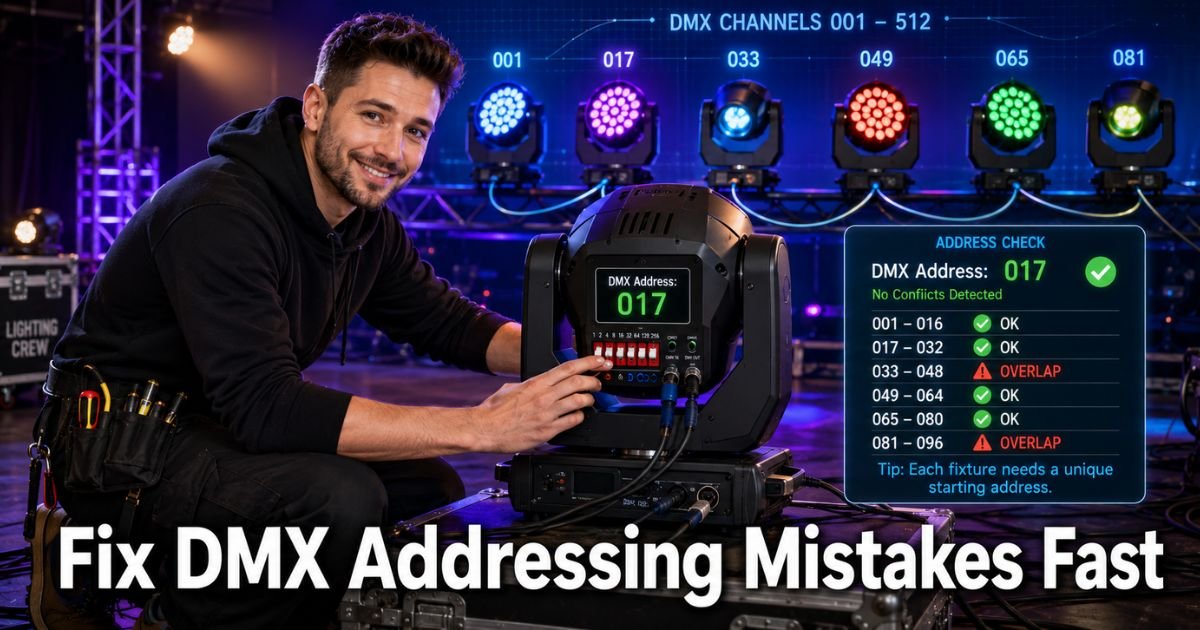
Imagine this. You are minutes from showtime, the house lights dim, and you hit “go” on your lighting console. Instead of a smooth light show, half the fixtures start dancing to the wrong cues while others do nothing at all.
Sound familiar? That frustrating chaos almost always traces back to one thing: DMX addressing mistakes.
DMX addressing is how you tell each light exactly which control signals to listen to in the 512-channel universe. Get it right and your rig runs like clockwork. Get it wrong and you waste precious time troubleshooting while the audience waits.
In this guide you will discover the most common DMX addressing mistakes lighting pros see every weekend and exactly how to avoid them. You will get simple step-by-step fixes, real-world examples, handy checklists, and pro tips that save hours on site.
Whether you are a weekend DJ, church tech, or touring LD, these practical insights will help you set up faster and troubleshoot smarter.
What Is DMX Addressing and Why It Matters
DMX addressing assigns a unique starting channel to every fixture so the controller can talk to it individually. Think of it like giving each house on a street its own mailbox number. Without clear addresses, mail (or in this case, control data) gets mixed up.
Each fixture also uses a certain number of channels called its “footprint.” A simple LED par might need only three channels for RGB color. A moving head could need sixteen for pan, tilt, color, gobo, and more. The address you choose must leave enough room for that full footprint so the next fixture starts after it.
Nailing DMX addressing keeps your lights responding exactly as planned. It prevents ghosting, random movements, and those dreaded “why is everything doing the same thing” moments.
Common DMX Addressing Mistakes (and How to Avoid Them)
Most addressing problems fall into a handful of repeatable patterns. Here are the top ones that trip up even experienced techs, plus quick ways to sidestep them.
- Overlapping channel ranges: Two fixtures end up sharing channels because the second one starts too soon. Result? They move or change color together when they should be independent.
- Wrong fixture mode selected: You set the light to 8-channel mode on the menu but patched it as 16-channel in the console. Suddenly nothing lines up.
- Incorrect DIP switch or menu settings: One flipped switch or a single digit off in the digital menu throws the entire address out.
- Console patch does not match physical address: The fixture thinks it is at 017 but your console is sending data to 001.
- Forgetting to calculate the next address: After a 7-channel fixture you start the next at 8 instead of 8. Chaos follows.
- Universe confusion: You set address 300 on universe 2 but the console is still looking in universe 1.
These mistakes show up on almost every gig. The good news? They are all preventable with a little planning.
Pro Tip: Label every fixture with a piece of gaffer tape showing its exact address and channel footprint right after you set it. When you are troubleshooting at 2 a.m. under stage lights, that little label becomes your best friend.
How to Set Correct DMX Addresses Every Time
Follow this quick routine and you will avoid 90 percent of problems before they start.
- Check the fixture manual for its channel modes and pick the one you want.
- Note the exact footprint (number of channels).
- Calculate the next available address: previous address plus footprint.
- Set the address on the fixture using DIP switches or the menu.
- Patch the exact same address and personality in your console.
- Do a one-light-at-a-time test by bringing up a single fader or using the fixture ID function.
Write everything down as you go. A simple phone note or spreadsheet works wonders.
Quick Reference Table: Sample Fixture Footprints
Use this table as a starting point when planning your next rig.
| Fixture Type | Typical Channels | Starting Address Example | Next Fixture Starts At |
|---|---|---|---|
| LED Par (RGB) | 3 | 001 | 004 |
| LED Par (RGBW) | 4 | 004 | 008 |
| Moving Head (Basic) | 14 | 008 | 022 |
| Moving Head (Extended) | 23 | 022 | 045 |
| Smoke Machine | 2 | 045 | 047 |
Common Mistake to Avoid
Common Mistake: Changing a fixture’s mode after you have already addressed and patched it. Even a small switch from basic to extended mode changes the channel count and creates instant overlaps. Always re-check and re-address whenever you touch the mode setting.
Bonus Tips for Rock-Solid DMX Addressing
- Use RDM-enabled fixtures when possible. Remote Device Management lets you read and set addresses directly from the console.
- Keep one master list of every address and universe. Update it live during setup.
- Test each universe separately before combining them.
- When in doubt, start every chain at address 001 and work up logically.
These small habits turn DMX addressing from a headache into second nature.
Why Proper DMX Addressing Saves Time and Money
When your addressing is spot-on, programming goes faster, rehearsals run smoother, and you spend less time on site. That means happier clients, fewer overtime hours, and shows that actually look the way you imagined. Investing ten extra minutes in careful addressing pays off every single time.
FAQs About Common DMX addressing mistakes
How do I calculate the next DMX address after a multi-channel fixture?
Simply add the fixture’s total channel count to its starting address. If a moving head uses 14 channels and starts at 001, the next fixture must begin at 015. This prevents any overlap and keeps every light responding independently.
What should I do if my lights are in the wrong mode during DMX addressing?
Go into the fixture menu and change it back to the correct DMX channel mode. Then re-set the address and update your console patch. Testing one fixture at a time after the change confirms everything lines up again.
Can I use the same DMX address for identical fixtures that move together?
Yes, but only if you want them to behave exactly the same. For group control it works great. For individual control you must give each fixture its own non-overlapping address range.
CONCLUSION
You now know the most common DMX addressing mistakes and exactly how to dodge them on your next setup. From overlapping channels and mode mix-ups to simple DIP switch slips, these fixes are straightforward once you have the system down. Keep your fixture footprints handy, label everything, and test as you go.
Next time you build a rig, take those extra few minutes to plan your addresses properly. Your future self (and your audience) will thank you when the lights do exactly what you want from the very first cue. Grab your console, pick a couple fixtures, and practice the routine today. You have got this. Your best shows are still ahead.
Disclaimer: This content is for informational and educational purposes only and does not constitute professional, financial, legal, or medical advice. The information provided may not apply to your specific situation. Always consult a qualified professional for personalized guidance.