
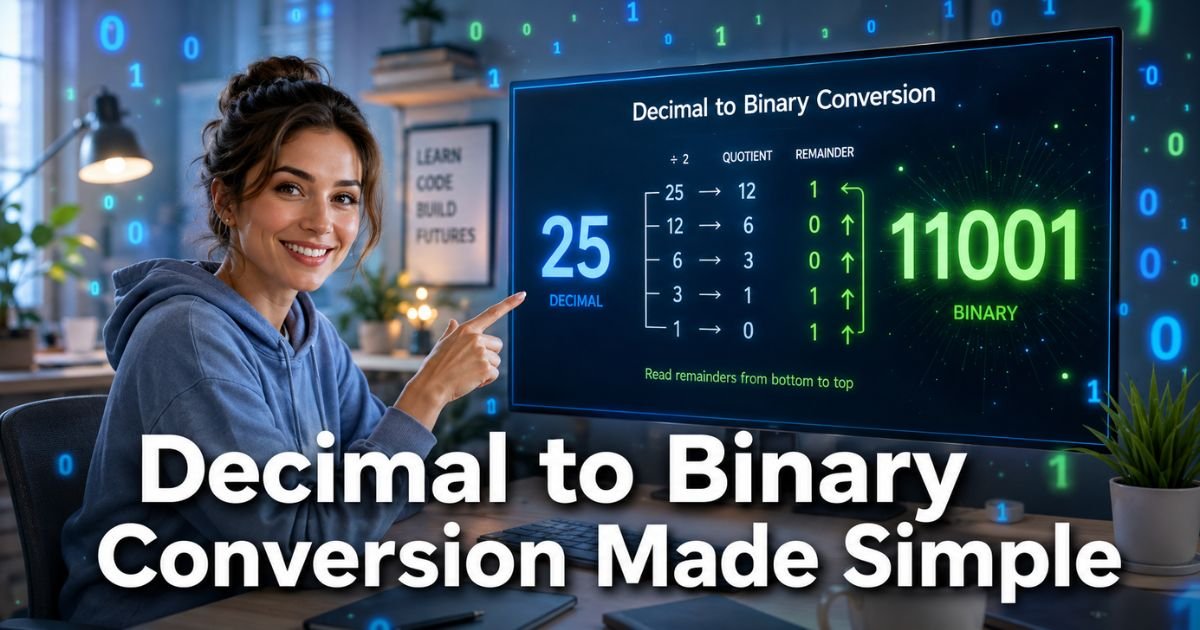
Ever stared at your computer screen and wondered how it turns everyday numbers into the language it actually understands? You type 25 into a program, but behind the scenes your machine is working with strings of 1s and 0s.
That simple switch from our familiar decimal world to binary is called decimal to binary conversion, and once you get it, a whole new layer of tech makes perfect sense.
You don’t need to be a math genius or a coding expert to learn this. Whether you’re a student tackling your first computer science class, a hobbyist building your own projects, or just curious about how computers really work, this guide walks you through everything in plain English.
We’ll cover the easy division method, plenty of examples, handy tips, and even a few real-life ways this skill shows up every day.
What Is Decimal to Binary Conversion?
Decimal is the number system you use every day, based on 10 digits (0 through 9). Binary, on the other hand, is the language of computers and only uses two digits: 0 and 1. Decimal to binary conversion is simply the process of changing a number from base 10 to base 2.
It might sound technical, but it’s actually straightforward once you see the pattern. Every decimal number can be broken down into powers of 2, just like decimal numbers break down into powers of 10. This conversion is the foundation of how your phone, laptop, and even your smartwatch process information.
Why Learn Decimal to Binary Conversion?
Understanding how to convert decimal to binary opens doors in programming, networking, and digital electronics. You’ll start noticing binary everywhere: IP addresses, file sizes, color codes in web design, and even the way your CPU handles instructions.
Plus, it sharpens your logical thinking. Once you master this, other number systems like hexadecimal feel way less intimidating. And let’s be honest, it feels pretty cool when you can glance at a string of 1s and 0s and know exactly what it means.
How to Do Decimal to Binary Conversion: The Step-by-Step Method
The easiest and most reliable way is the repeated division method. Here’s exactly how it works:
- Take your decimal number and divide it by 2.
- Write down the remainder (it will always be 0 or 1).
- Divide the quotient (the answer from step 1) by 2 again.
- Repeat until the quotient reaches 0.
- Read the remainders from bottom to top, and that’s your binary number.
Sounds simple, right? It is. Let’s walk through a quick example with 25.
25 ÷ 2 = 12 remainder 1
12 ÷ 2 = 6 remainder 0
6 ÷ 2 = 3 remainder 0
3 ÷ 2 = 1 remainder 1
1 ÷ 2 = 0 remainder 1
Reading the remainders from bottom to top gives 11001. So ( 25_{10} = 11001_2 ).
Practice this a few times and it becomes second nature.
Real-World Example
Take a 35-year-old teacher who decided to switch careers and become a game developer. She was building a simple inventory system and needed to store item IDs efficiently.
Her first task? Convert everyday decimal IDs into binary so the game engine could process them faster.
Using the division method on paper during her lunch break, she converted the decimal number 42 into binary (101010). Suddenly her code ran smoother and she understood why the engine stored data the way it did.
That “aha” moment saved her hours of debugging later. Stories like her happen every day in tech.
Pro Tip: Always double-check your work by converting the binary number back to decimal. Multiply each digit by its power of 2 and add them up. If you get the original number, you nailed it!
Common Conversions at a Glance
Here’s a handy table of the first 16 decimal numbers and their binary equivalents. Keep this nearby when you’re just starting out.
| Decimal | Binary |
|---|---|
| 0 | 0 |
| 1 | 1 |
| 2 | 10 |
| 3 | 11 |
| 4 | 100 |
| 5 | 101 |
| 6 | 110 |
| 7 | 111 |
| 8 | 1000 |
| 9 | 1001 |
| 10 | 1010 |
| 11 | 1011 |
| 12 | 1100 |
| 13 | 1101 |
| 14 | 1110 |
| 15 | 1111 |
| 16 | 10000 |
Caption: Common decimal to binary conversions for quick reference.
More Examples to Build Your Confidence
Let’s try a bigger number: 100.
100 ÷ 2 = 50 r0
50 ÷ 2 = 25 r0
25 ÷ 2 = 12 r1
12 ÷ 2 = 6 r0
6 ÷ 2 = 3 r0
3 ÷ 2 = 1 r1
1 ÷ 2 = 0 r1
Reading up: 1100100. So ( 100_{10} = 1100100_2 ).
Another one: 255 (the maximum value for a single byte in computing). You’ll get 11111111. Nice and neat, right?
Common Mistake: Reading the remainders from top to bottom instead of bottom to top. This is the number one error beginners make and it flips the entire binary result. Always start from the last remainder you wrote down!
Tools and Quick Shortcuts
You don’t always have to do it by hand. Most programming languages have built-in functions. In Python, for example, bin(25) gives you ‘0b11001’. Online calculators are great for checking your work too.
Still, knowing the manual method helps you understand what the computer is actually doing under the hood.
Applications of Decimal to Binary Conversion in Everyday Tech
From Wi-Fi routers assigning IP addresses to your digital camera storing color information, binary is everywhere. Game developers use it for efficient memory use. Network engineers rely on it when subnetting. Even your fitness tracker counts steps using binary logic inside its tiny chip.
Once you see these connections, tech stops feeling like magic and starts feeling understandable.
FAQs About How to Convert Decimal to Binary
How do you convert 10 from decimal to binary?
Divide 10 by 2 repeatedly: 10 ÷ 2 = 5 r0, 5 ÷ 2 = 2 r1, 2 ÷ 2 = 1 r0, 1 ÷ 2 = 0 r1. Reading remainders from bottom to top gives 1010. So 10 in decimal is 1010 in binary. Super quick once you get the rhythm!
What is the fastest way to convert decimal to binary without a calculator?
The repeated division method is still the fastest manual way. Write down the number, keep dividing by 2, and stack the remainders. Practice with small numbers first (like 5 through 20) and you’ll be doing it in your head in no time.
Why does decimal to binary conversion matter in programming?
Computers only understand 0s and 1s. When you convert decimal to binary, you’re speaking the machine’s language. This helps with memory management, data compression, bitwise operations, and debugging low-level code. It’s a foundational skill every programmer eventually uses.
CONCLUSION
You’ve now got a clear, practical understanding of decimal to binary conversion. You know the simple division steps, you’ve seen real examples, and you’ve learned how to avoid the most common pitfalls. Remember, this skill isn’t just for exams or job interviews, it helps you think more logically about the tech you use every single day.
Grab a piece of paper right now and try converting 42 or your favorite number. The more you practice, the more natural it feels. You’ve got this, and who knows, maybe your next “aha” moment is just one conversion away. Keep exploring, keep learning, and enjoy the satisfaction of understanding what’s really happening inside your devices.
Disclaimer: This content is for informational and educational purposes only and does not constitute professional, financial, legal, or medical advice. The information provided may not apply to your specific situation. Always consult a qualified professional for personalized guidance.